Installation
At the time of writing this guide, you cannot play with this mod without SteamVR because of the way Vivecraft bindings work.
Installing the mod
Automatic installation
If you use modpack launchers (Modrinth App, Prism Launcher, CurseForge, and others), find and add InteractiveMC to your pack.
Manual installation
- Download the InteractiveMC jar file and its dependencies for the game version and loader you need:
- Move the downloaded files to the
modsfolder at%appdata%/.minecraft/mods(if you did not change the installation path manually).
Setup
Open the SteamVR settings, select the
Controllerscategory, chooseManage controller bindings, and if needed selectVivecraftfrom the application list.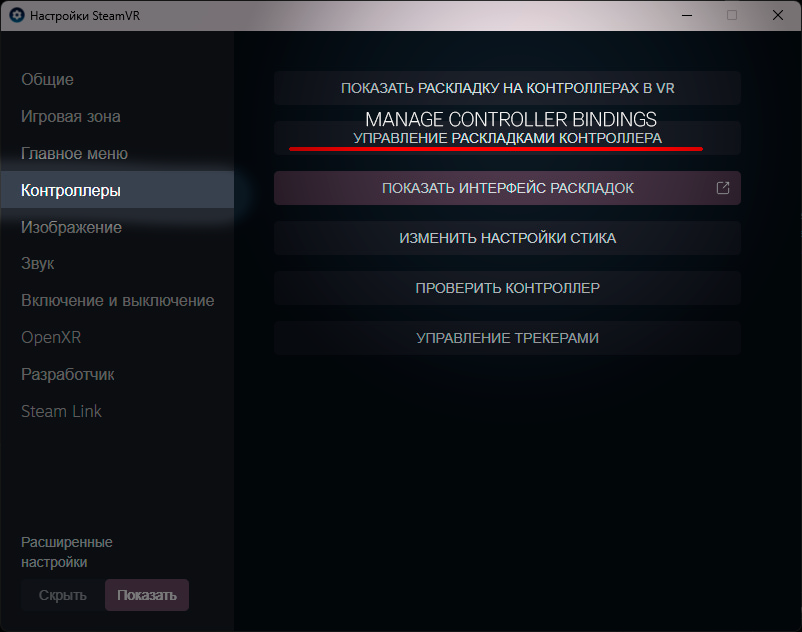
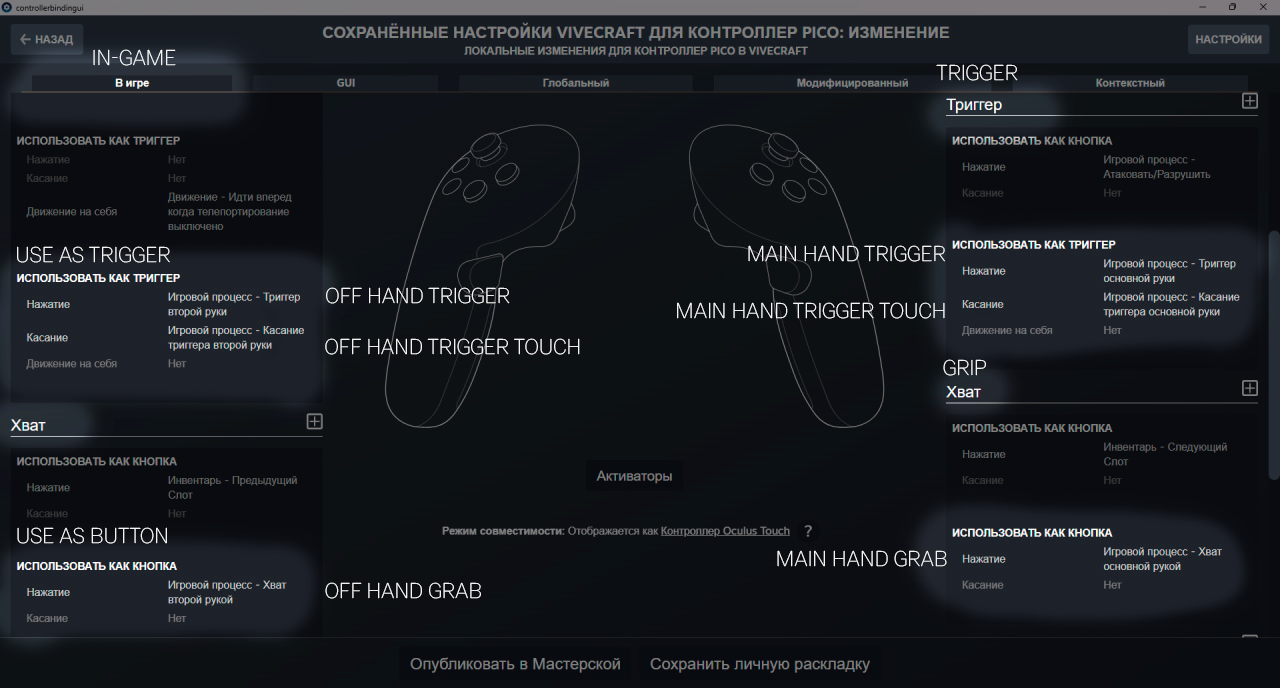
In the binding editor interface, select the
In-Gametab and assign the following actions according to the screenshot:
- Main-hand trigger
- Main-hand trigger touch
- Main-hand grab
- Off-hand trigger
- Off-hand trigger touch
- Off-hand grab